Secco
Micromanager
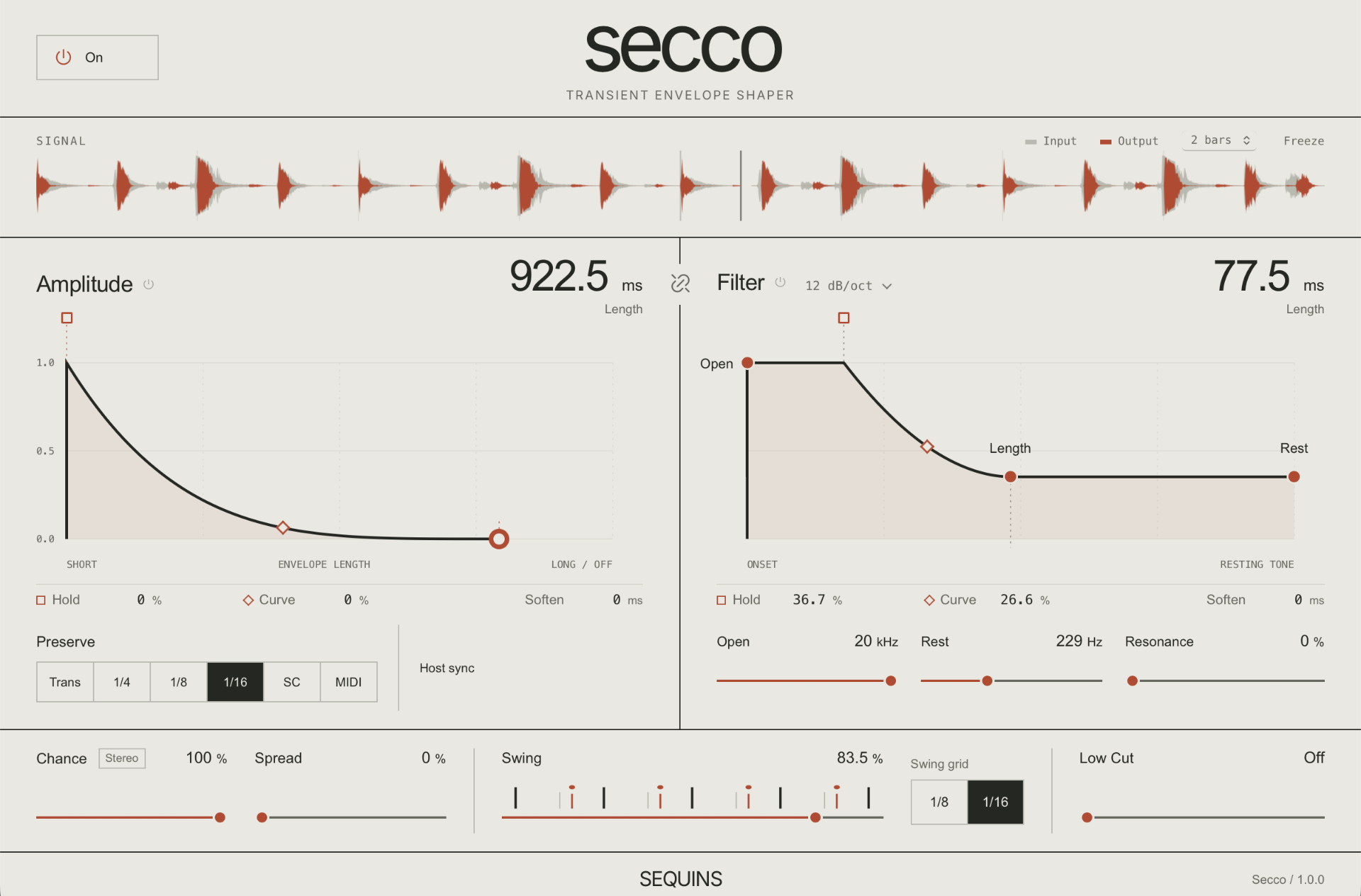
One of the things I miss most whenever I’m working outside Ableton is the transient envelope in Beats mode. Turn it down and it shortens the audio around each hit in a way I’ve never quite got from a regular gate. I wanted that as a plugin, so I made Secco.
Then I added a separate filter envelope and real-time audio swing. You can shorten a sound, have the filter close behind each hit like it does on a synth, and shift the groove while it plays. It’s how I get those tight, dark, muted little plucks I love in microhouse and minimal.
What It Does
Tight, Muted Plucks
Shorten the tail, hold onto the body, or round off a sharp attack with Soften. Link the two envelope lengths to adjust them together, keeping their proportions.
Shape the Brightness
Give the filter its own envelope, so the brightness can fall away while the body keeps ringing. Add resonance, choose a gentler or steeper filter slope, or switch either envelope off.
Leave Some Hits Out
Chance decides whether each hit plays. Turn it down to leave gaps in a busy rhythm, or let the left and right channels make independent choices.
Move Hits Around
Spread gives each hit a random stereo position. Swing shifts slices of audio later on an eighth- or sixteenth-note grid. Adjust both while the track plays.
Use Another Rhythm
Trigger Secco from the sound itself, the host grid, a sidechain or MIDI notes. Minimum gap keeps closely spaced transients from retriggering too often.
Play the Envelopes
MIDI velocity or sidechain level can shape the sound of each hit: its volume, envelope lengths, hold, filter opening and resonance. Softer triggers can make quieter, shorter, darker hits. Invert an amount to reverse its response.
Get Secco
$49
$39
$39 for the first 100 purchases, then $49.This price is available for 83 more purchases.
- ✓VST3, AU, and CLAP formats
- ✓Lifetime updates
- ✓30-day instant refunds
Try Secco free for 14 days
Fully featured for 14 days.
macOS 11+, Windows 10+ or LinuxVST3, AU or CLAP compatible DAWWindows requires WebView2; Linux requires WebKitGTK 4.1
Technical Specifications
Envelopes
AmplitudeLength, hold, curve and 0–30 ms Soften; Off at maximum length
Filter envelopeIndependent length, hold, curve and 0–30 ms Soften
Linked lengthsOptional; preserves the proportion between envelope lengths
Envelope switchesIndependent Amplitude and Filter on/off
Low-pass filter20 Hz–20 kHz; resonance; 12 or 24 dB/oct
Low cut20 Hz–2 kHz, or Off
Rhythm & Expression
Trigger sourcesInput transients, audio sidechain or MIDI
Grid triggers1/4, 1/8 or 1/16 notes
Swing1/8 or 1/16 notes; shifts audio later in time
Chance0–100% probability per hit; optional independent left/right decisions
SpreadRandom stereo position per hit; adjustable width
ExpressionMIDI velocity or sidechain level; seven destinations with positive or negative amounts
Minimum gap5–250 ms; separate transient and sidechain settings
Lookahead15 ms, reported to the host for latency compensation
Formats & Compatibility
FormatsVST3, CLAP, Standalone; AU on macOS
macOS11 or later; Apple Silicon and Intel
Windows10 or later; x64; WebView2 required
Linuxx86_64; WebKitGTK 4.1 required